
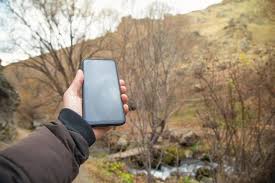
We’ve all been there. You’re in the middle of an important call with a client, or maybe just catching up with a family member, and suddenly—silence. You check your screen, and the bars have vanished. Or perhaps you’re trying to send a crucial email, but the data icon spins endlessly. It’s incredibly frustrating.
In an era where connectivity is as essential as electricity, dealing with spotty cell service feels like a step backward. Whether you are a student trying to research a project, a parent coordinating pickup times, or a professional working remotely, a reliable signal is non-negotiable.
Fortunately, you don’t have to accept dropped calls and slow data as a fact of life. With the right understanding, tools, and gadgets, you can make poor cell coverage a thing of the past. This guide will walk you through the most common culprits behind that dreaded “No Service” message and provide actionable, future-ready solutions to keep you connected when it matters most.
Understanding How Mobile Signals Work
Before we dive into the fixes, it helps to understand what’s actually happening when your phone connects—or fails to connect.
Your mobile phone is a sophisticated two-way radio. It communicates with the nearest cell tower by sending and receiving radio frequency (RF) waves. When you make a call, your voice is converted into an electrical signal, transmitted via radio waves to the nearest tower, and then relayed to the recipient’s phone.
Signal strength is measured in decibel-milliwatts (dBm). A signal of -50 dBm is considered excellent (full bars), while -120 dBm is essentially a dead zone. The “bars” on your phone are a simplified visual representation of this strength, but they aren’t standardised across manufacturers. One phone’s two bars might be another phone’s three bars.
The journey of these radio waves isn’t always smooth. They have to travel through the air, dodge obstacles, and penetrate buildings to reach your device. This journey is where most problems arise.
Common Culprits Behind Poor Signal
If you are experiencing consistent signal issues, it is rarely just “bad luck.” There are usually specific environmental or technical factors at play. Identifying the root cause is the first step toward finding a solution.
1. Distance from the Cell Tower
This is the most obvious factor. The further you are from a tower, the weaker the signal. RF waves degrade over distance. If you live in a rural area or on the outskirts of a city, your phone has to work much harder to maintain a connection. This not only leads to dropped calls but also drains your battery significantly as your device constantly searches for a stronger signal.
2. Physical Obstructions (The Terrain)
Radio waves travel in a straight line, but they don’t go through mountains or hills very well. If there is a large geographic feature between you and the nearest tower, you are essentially in a signal shadow. This is common in valleys or heavily wooded areas where the terrain naturally blocks the path of the signal.
3. Building Materials
This is often the main reason for poor indoor coverage. Modern buildings are designed to be energy-efficient and sturdy, but the materials used can be kryptonite for cell signals.
- Metal: Metal roofs, steel frames, and even foil-backed insulation act as a Faraday cage, blocking RF waves almost entirely.
- Concrete and Brick: Thick masonry walls absorb signal strength significantly.
- Low-E Glass: Energy-efficient windows have a metal oxide coating to block heat, but they also do a fantastic job of blocking cell signals.
If you have great service outside on the sidewalk but zero bars the moment you step into your living room or office, building materials are likely the culprit.
4. Network Congestion
Sometimes, the problem isn’t the signal strength, but the capacity of the tower. This is common in crowded areas like stadiums, concerts, or even densely populated neighbourhoods during peak hours (like 5 PM to 8 PM). When too many users try to access the same tower simultaneously, the network creates a queue, resulting in slow data speeds and failed calls.
5. Weather Conditions
While less significant than solid obstacles, heavy rain, snow, and dense fog can scatter radio waves, reducing signal range. This is usually temporary, but it can be the tipping point if your signal is already marginal.
6. Your Phone’s Hardware and Software
Sometimes, the call is coming from inside the house—literally. Older phones may not support the newer frequency bands that carriers use for 4G LTE and 5G. Additionally, an outdated operating system or a damaged antenna can severely hamper your device’s ability to maintain a connection.
Troubleshooting 101: Quick Fixes to Try First
Before investing in hardware solutions, try these simple troubleshooting steps. They might save you time and money.
Toggle Aeroplane Mode
This forces your phone to disconnect from the network and search for a fresh connection. It’s the cellular equivalent of “turning it off and on again.”
- Turn on Aeroplane Mode.
- Wait for 10-15 seconds.
- Please turn it off and watch as your phone reconnects to the nearest tower.
Update Your Software and Carrier Settings
Manufacturers and carriers frequently release updates to improve connectivity and fix bugs.
- iPhone: Go to Settings > General > Software Update. Also, check Settings > General > About to see if a carrier update pop-up appears.
- Android: Go to Settings > System > System Update.
Check Your SIM Card
A damaged or old SIM card can cause connectivity issues. Remove the SIM card, wipe it gently with a microfiber cloth, and reinsert it. If the card looks physically damaged or is several years old, visit your carrier store for a replacement.
Reset Network Settings
This will wipe your saved Wi-Fi passwords and Bluetooth connections, but it often clears out corrupted network data that causes signal issues.
iPhone: Settings > General > Transfer or Reset iPhone > Reset > Reset Network Settings.
Android: Settings > System > Reset Options > Reset Wi-Fi, mobile & Bluetooth.
Advanced Solutions: How to Boost Your Signal for Good
If the quick fixes didn’t work, it is time to look at more robust solutions. These tools are designed to bridge the gap between you and the cell tower, ensuring consistent connectivity for your home or vehicle.
1. Wi-Fi Calling: The Free Solution
If you have reliable home internet but poor cell reception, Wi-Fi Calling is your best friend. This feature routes your calls and texts through your Wi-Fi network rather than the cellular network.
- Pros: It’s free, built into most modern smartphones, and offers crystal-clear voice quality.
- Cons: You need a strong Wi-Fi connection. If your internet goes down, so does your ability to make calls. It also doesn’t help if you need to use mobile data when Wi-Fi isn’t available.
How to enable it:
iPhone: Settings > Phone > Wi-Fi Calling.
Android: Settings > Network & Internet > Mobile Network > Advanced > Wi-Fi Calling.
2. Cell Phone Signal Boosters (Repeaters)
This is the gold standard for fixing coverage issues permanently. A signal booster system works by taking the existing outside signal, amplifying it, and rebroadcasting it inside your home or vehicle.
How it works:
- Outside Antenna: Mounted on your roof, this antenna captures the weak signal from the cell tower.
- Amplifier (Booster): This device receives the signal from the outside antenna and boosts its strength significantly (often up to 32 times).
- Inside Antenna: This antenna broadcasts the boosted signal throughout your home or office.
Why choose a booster?
- Carrier Agnostic: Most high-quality boosters work with all major carriers simultaneously. This is perfect for households where Mom uses Verizon, Dad uses AT&T, and the kids are on T-Mobile.
- No Monthly Fees: Once you buy the equipment, there are no subscriptions.
- Passive Operation: It works in the background. You don’t need to log in or connect to anything; your phone simply sees a stronger signal
Types of Boosters:
- Home Boosters: Designed to cover specific square footage, ranging from a single room to a large estate.
- Vehicle Boosters: Essential for road warriors and families who love road trips. These keep you connected in remote areas where dead zones are common.
3. Femtocells (Microcells)
A femtocell is like a mini cell tower that you plug into your home router. It uses your internet connection to create a small cellular signal bubble in your house.
- Pros: Good for homes with absolutely zero outside signal (where a booster wouldn’t work because there is no signal to boost).
- Cons: These are usually carrier-specific (e.g., an AT&T MicroCell only works for AT&T phones). You also typically have to register specific phone numbers to the device, limiting its utility for guests.
Choosing the Right Equipment for Your Needs
Investing in a signal booster is a smart move for long-term connectivity, but the market can be confusing. Here is what to look for to ensure you get a device that truly helps.
Check the Gain
Gain is measured in decibels (dB) and represents the boosting power of the amplifier.
- Vehicle boosters typically max out at 50 dB gain.
- Home boosters typically max out at roughly 60-70 dB gain.
- Commercial boosters can go up to 72 dB or higher.
The higher the gain, the better the booster can cover a large area, even with a weak outside signal.
Yagi vs. Omni Antennas
The outside antenna is crucial.
- Omni-directional antennas: These look like cylinders and catch the signal from a 360-degree radius. They are easier to install because you don’t have to aim them. They are best if you have a decent signal outside and multiple towers nearby.
- Yagi (Directional) antennas: These look like arrows or triangles. You must point them directly at the nearest cell tower. They are more powerful at pulling in signals from far away, making them the best choice for rural areas with weak reception.
FCC Certification
Ensure any booster you buy is FCC-certified. Non-certified boosters can cause interference with the carrier networks, which is illegal and can result in hefty fines. Reputable brands like weBoost, HiBoost, and SureCall are all FCC-compliant.
Why Connectivity Matters for the Future
We often think of cell phones as tools for scrolling social media or texting friends, but their role goes much deeper, especially for the younger generation. In an educational context, consistent connectivity is a gateway to opportunity.
For students, mobile devices are increasingly used for research, educational apps, and staying organised. A dropped connection during a virtual tutoring session or while uploading a homework assignment isn’t just an annoyance; it’s a disruption to learning.
Furthermore, for families considering boarding schools or structured educational environments, communication is the lifeline that bridges the distance. Parents need to know they can reach their children, and students need the comfort of knowing home is just a clear phone call away. Ensuring robust signal coverage—whether at home or on a campus—provides peace of mind and fosters a sense of security.
Taking Action: Your Connectivity Checklist
Don’t let a poor signal dictate your day. Here is a summary of steps you can take immediately to improve your situation:
- Map Your Signal: Walk around your property and note where the signal is strongest. This is crucial if you decide to install a booster later.
- Test Wi-Fi Calling: Enable this feature today to see if it solves your indoor coverage woes.
- Audit Your Tech: Check if your phone needs a software update or if your case is blocking your antenna (thick metal cases are notorious for this).
- Consider a Booster: If you have at least one bar of signal outside but poor service inside, a signal booster is likely the most effective investment you can make.
Connectivity issues are solvable. By understanding the “why” and implementing the “how,” you can ensure that your calls connect, your messages are sent, and your digital life runs as smoothly as possible.
