
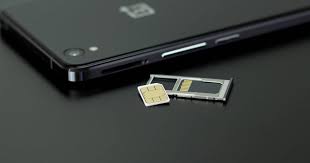
Sending a child to boarding school is an emotional milestone. It represents a significant step toward independence and holistic growth, but it also brings a quiet anxiety for parents: the need to stay connected. In the past, managing communication with a child living on campus—perhaps in a different state or region—meant dealing with spotty reception, roaming charges, or the hassle of swapping physical SIM cards during holidays.
Fortunately, mobile technology has evolved to bridge this gap. Smartphones are no longer just communication devices; they are lifelines that ensure safety and foster engagement between home and school. The introduction of Dual SIM and eSIM technology has revolutionised how families manage connectivity. It offers a seamless way to keep a dedicated line for family calls while allowing students to have a local number for their school friends and data needs.
Understanding how these technologies work is essential for modern parenting, especially when your child is away from home. It empowers you to choose the best plans for coverage and cost, ensuring that your child is always just a phone call away. This guide will demystify the tech, explain the difference between physical and digital SIMs, and show you how to leverage them for a safe, future-ready communication strategy.
The Evolution of the SIM Card
To understand where we are, we have to look at where we started. The Subscriber Identity Module, or SIM card, has been the standard for mobile connectivity for decades. It is the tiny chip that tells the network who you are and what plan you are on.
For years, phones had a single slot. If you moved to a new region with poor coverage on your current provider, or if you wanted a separate number for work and personal use, you had to swap cards or carry two bulky devices physically. For a student at boarding school, this often meant juggling a “home” SIM and a “school” SIM—a recipe for lost cards and missed calls.
Enter Dual SIM technology. Initially popular in international markets, this feature allowed a single phone to house two physical SIM cards simultaneously. Users could receive calls on both numbers and choose which one to use for outgoing calls or texts. It was a game-changer for flexibility. However, as phones became sleeker and internal space became premium real estate for batteries and processors, manufacturers looked for a way to ditch the physical tray altogether.
What is eSIM Technology?
The “e” in eSIM stands for “embedded.” Unlike a traditional SIM card that you can touch and hold, an eSIM is a digital SIM that is built directly into the phone’s hardware at the factory. You cannot remove it, lose it, or break it.
Think of it like streaming music versus buying a CD. A physical SIM is the CD—you have to go to the store, buy it, and insert it into the player. An eSIM is like Spotify or Apple Music—you download the profile, and it plays.
How eSIM Works
When you sign up with a carrier that supports eSIM, they provide a QR code or a digital activation key. You scan this code with your phone’s camera, and the device downloads the carrier’s profile. Within minutes, the phone connects to the network just as it would with a physical chip.
This technology allows for incredible flexibility. An eSIM-capable phone can store multiple profiles—sometimes up to eight or more—although usually only one or two can be active at a time alongside a physical SIM. This means a student could theoretically have a profile for their home city, a profile for the school location, and a profile for a holiday destination, all stored digitally on one device.
How Dual SIM and eSIM Work Together
The magic really happens when you combine these technologies. Most modern flagship phones (like recent iPhones, Samsung Galaxy S series, and Google Pixels) utilise what is known as Dual SIM Dual Standby (DSDS).
This setup typically involves one physical SIM card slot and one internal eSIM. (Some newer models are even moving to eSIM-only or dual eSIM capabilities.)
Here is what this looks like in practice for a boarding school student:
- Physical SIM: This slot can hold the long-term “Home” number. This is the number grandparents know, the one linked to WhatsApp, and the one used during summer breaks.
- eSIM: This digital slot can hold a “School” plan. This might be a local carrier that has better reception near the campus or a data-heavy plan specifically for academic research and downtime.
Both numbers are active simultaneously. When a call comes in, the screen indicates which line is ringing (e.g., “Home” or “School”). When the student sends a text, they can toggle between lines with a single tap. This eliminates the need to carry two phones or constantly swap cards, reducing the risk of losing small components and ensuring the student is reachable on their primary family number, no matter where they are.
The Benefits for Boarding School Families
Adopting a Dual SIM strategy isn’t just about having the latest tech; it is about practical problem-solving for families living apart.
1. Optimised Coverage and Safety
Boarding schools are often located in serene, expansive campuses away from the bustle of major cities. The carrier that works best at your home in the city might have spotty reception in the school’s region. By using a dual-SIM setup, you can ensure your child has a SIM card from the provider with the strongest signal at school, ensuring that safety check-ins and nightly calls never drop due to poor coverage.
2. Cost-Effective Data Management
Data consumption is a common concern for parents of teenagers. With Dual SIM, you can separate voice and data plans. You might keep a low-cost prepaid plan on the physical SIM for voice calls and emergencies, while using the eSIM for a data-specific plan that offers better rates. This helps in teaching financial responsibility and budgeting—key life skills for growing students.
3. Separation of Focus
Discipline is a core value in the boarding environment. A Dual SIM setup can help compartmentalise a student’s life. The “School” number can be shared with peers and used for project coordination, while the “Home” number remains a private line for family. Parents can also use digital wellbeing settings to restrict data usage on the “School” line during study hours, while leaving the “Home” line open for emergency contact.
4. Ease of Travel
If your child travels internationally for school trips or holidays, eSIMs are incredibly convenient. Instead of paying exorbitant roaming fees, you can purchase a local data plan for the destination country online, scan a QR code, and have instant connectivity upon landing. This ensures they remain safe and connected during their travels without swapping out their primary SIM.
Setting Up and Managing Dual SIMs
Transitioning to this system is easier than it sounds. Here is a step-by-step guide to getting your child set up.
Step 1: Check Device Compatibility
First, ensure your child’s smartphone supports eSIM. Most iPhones from the XR/XS onwards and many Android devices from the last three to four years are compatible. Check the device settings under “Mobile Data” or “Network”; if you see an option to “Add eSIM” or “Add Mobile Plan,” you are good to go.
Step 2: Choose Your Carriers
Research which network provider offers the best coverage at the boarding school location. This will likely be your secondary (eSIM) provider. Your existing family plan provider can remain on the physical SIM (or vice versa).
Step 3: Activation
For Physical SIM: Insert the card into the tray as usual.
For eSIM: Go to Settings > Cellular/Mobile Data > Add Data Plan. Scan the QR code provided by the carrier. Label the plans clearly (e.g., “Family” and “School”) to avoid confusion.
Step 4: Configure Defaults
Once both lines are active, the phone will ask you to select default lines for voice calls and data.
- Default Voice Line: Usually best to set this to the “Family” number so outgoing calls to you are recognisable.
Mobile Data: Set this to the plan with the larger data allowance or better local speed (likely the “School” plan).
- Allow Cellular Data Switching: You can toggle this on if you want the phone to automatically use the other line for data if the primary one has a poor connection.
Troubleshooting Common Issues
Even the best technology has hiccups. Here are quick fixes for common Dual SIM issues.
“I’m not receiving calls on my second number.”
Check that both lines are turned on in the settings. Sometimes, after a software update or a battery drain, a line might toggle off. Also, ensure that “WiFi Calling” is enabled for both lines if the campus has strong WiFi but poor cell service.
“Data is draining too fast.”
Ensure that the correct line is selected for mobile data. If “Cellular Data Switching” is on, the phone might be using the backup line (which might have a smaller capacity) if the signal is weak. Check the “Data Usage” section in settings to see which apps are consuming the most bandwidth.
“The eSIM isn’t activating.”
This often requires a stable WiFi connection to complete the initial download. Ensure the phone is connected to campus or home WiFi during the setup process. If it stalls, a simple restart of the device usually clears the cache and allows the profile to load.
Empowering Independence with Technology
Technology, when used correctly, is a tool for empowerment. For a student navigating the formative years between 11 and 18, managing their own communication devices fosters a sense of responsibility. It teaches them to manage resources (data and battery), prioritise communication, and handle technical troubleshooting.
For parents, the Dual SIM ecosystem offers peace of mind. It removes the friction from communication, ensuring that the distance between home and the boarding house feels smaller. Whether it is a quick text to say “goodnight” or a video call to celebrate a good grade, the connection remains uninterrupted.
Future-Ready Communication for Future-Ready Students
As we prepare our children for a future that is increasingly digital and interconnected, the tools we give them matter. Dual SIM and eSIM technology are more than just convenient features on a spec sheet; they are practical solutions for the unique lifestyle of a boarding school family.
By adopting this technology, you are ensuring a safety net that is robust and reliable. You are clearing the static from the line, allowing the focus to remain where it should be: on your child’s education, character development, and happiness. Embracing these digital advancements allows us to nurture our children’s potential, ensuring they have the freedom to grow while staying rooted in the safety of family connection.
